GitLab Duo: the AI gain in software comes after the code
GitLab Duo Agent Platform puts AI agents into review, testing and security, with rules and logging. What managers need to check before switching it on.
Almost every software team I know already uses AI to write code. And almost every manager I talk to asks the same question: if the team codes faster, why haven’t deliveries become faster in the same proportion?
GitLab itself provides part of the answer in the GitLab Duo Agent Platform announcement: only about 20% of a developer’s time goes into writing code. The rest is reviewing changes, investigating broken tests, handling security flaws, planning. When AI speeds up only the writing, the queue grows in the other stages. The company calls this the AI paradox in software delivery.
My thesis is straightforward: the real gain from AI in development comes after the code, and it only shows up with governance alongside it. That’s why it’s worth paying close attention to what GitLab is doing.
What GitLab Duo Agent Platform is
It’s the AI agent layer of GitLab, the platform where many teams store code, review changes and run the testing and release pipeline. It became generally available on January 15, 2026 for customers on the Premium and Ultimate plans, according to the official press release. It’s also the tool I use day to day.
In practice, it brings three things:
- Ready-made agents, such as a planning agent, which organizes and prioritizes the backlog, and a security agent, which explains vulnerabilities in plain language.
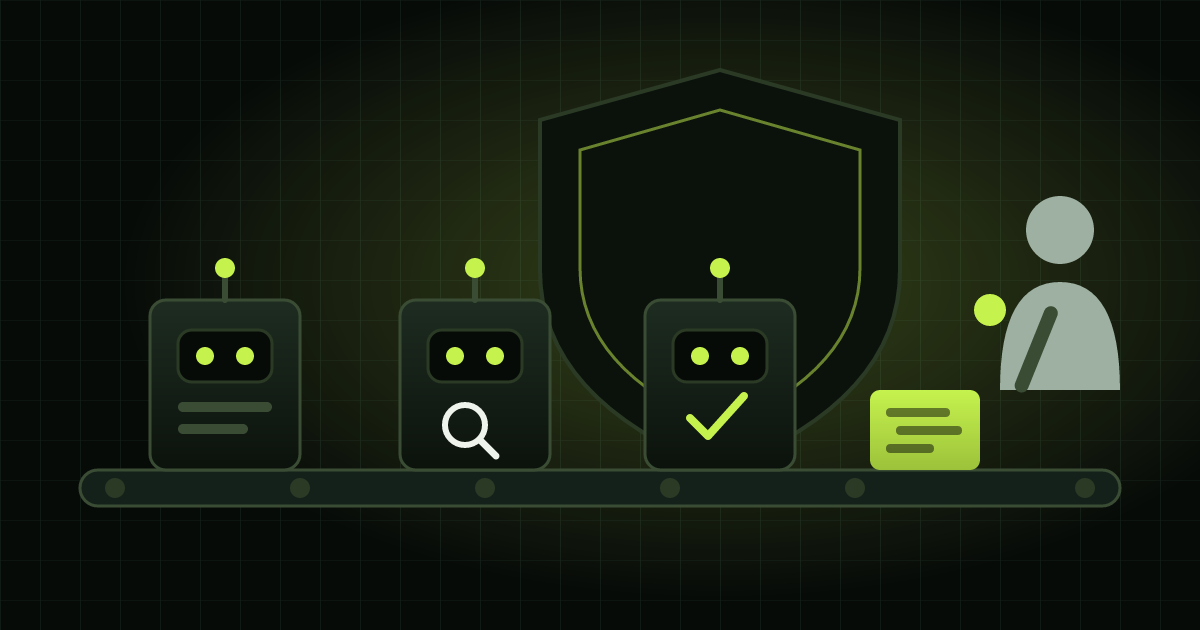
- Flows that chain agents together in multi-step tasks: turning a task into a code proposal, fixing a broken pipeline, reviewing a change.
- Openness to the outside: you can bring in third-party agents, such as Claude Code and Codex, and connect tools such as Jira, Confluence and Slack through the MCP protocol, a standard that lets AI query other systems.
The product page also lets you choose among more than ten AI models, from different vendors, for each agent or flow.
What interests me most: governance comes built in
There are plenty of AI coding tools out there. What changes the game for a company is where it runs and under what rules. According to the product page, GitLab offers:
- Identity: every action by an agent is tied to the identity and permissions of a real user. No “the robot did it.”
- Policy: the company defines which agents and flows can run, where and with which models, following the group and role structure that already exists.
- Human approval at the points where policy requires it.
- A single log of sessions, tools, models and approvals, for auditing.
- Where the model runs: in self-managed installations, you can use models hosted by the company itself.
This ties in directly with the IDC warning we covered earlier today: companies without a kill switch for AI agents will pay more, in insurance and in auditing. An agent acting inside the code needs an owner, limits and a log from day one.
Context is what separates a useful agent from an expensive one
An AI agent that sees little makes more mistakes and spends more. In June, GitLab introduced Orbit, still in public beta: a living map that links code, changes, pipelines, deployments, vulnerabilities and owners. The agent queries this map instead of searching blindly.
The company says that, with Orbit, agents became up to 11 times faster and consumed up to 4.5 times fewer tokens, the unit AI is billed by. These are the vendor’s own numbers, in the best-case scenario. But the direction is right: an agent’s cost depends heavily on the context it receives.
Usage-based pricing changes the math
Instead of paying per person, the company buys GitLab Credits, at US$ 1 each, and they’re consumed as the agents work. Today, the Premium and Ultimate plans include 12 and 24 credits per user per month, under a promotional condition that may change, according to the pricing page.
The official explanation, in the credits announcement, is fair: with per-person licenses, only some of the team get access to AI. With shared credits, everyone can use it. The flip side is that an agent running in the background spends money with nobody watching. The platform allows spending limits per subscription, group or user. Use them.
What managers should do
1. Start with a flow that hurts. A backlog of code reviews or a test pipeline that keeps breaking are good candidates. Measure how things are today before switching on any agent.
2. Give each agent an owner and minimum permissions. Who is accountable for it, what it can change and who approves before anything reaches production.
3. Set a spending limit before first use. By group or by project, with a monthly review of consumption, like any other expense.
4. Decide which models can see your code. This involves customer data, intellectual property and LGPD, Brazil’s data protection law. It’s a business decision, not just an IT one.
5. Measure the whole cycle. From the request being opened to deployment in production. Volume of generated code is not a measure of results.
In 29 years of programming, I’ve seen many tools promise speed. The ones that actually delivered results were those that came with clear rules about who can do what. With AI agents, this stops being good practice and becomes a condition for the investment to pay off.
Originally published on IWA7 Insights, IWA7 Digital’s blog, which is now part of Escovando Bytes.