Why do computer programs open in windows?
43 years ago, on November 10, 1983, Microsoft announced Windows. But the idea of windows on a screen is older: it was born in labs in the 60s and 70s.

You open the browser to read the news, your email to reply to your boss and a spreadsheet to check some numbers. Each one shows up in a rectangle you drag, stack, minimize and bring back to the front. We don’t even think about it. But why is this thing called a “window”? And who came up with the idea of dividing the screen this way?
Today is a good day for this conversation. Exactly 43 years ago, on November 10, 1983, Microsoft announced Windows. But the story of windows on a screen starts much earlier, and the first Windows had a limitation that seems almost like a joke today.
What is a window, anyway
Before windows, the computer was like a single sheet of paper: you saw one program at a time, filling the whole screen, and to use another one you had to close the first.
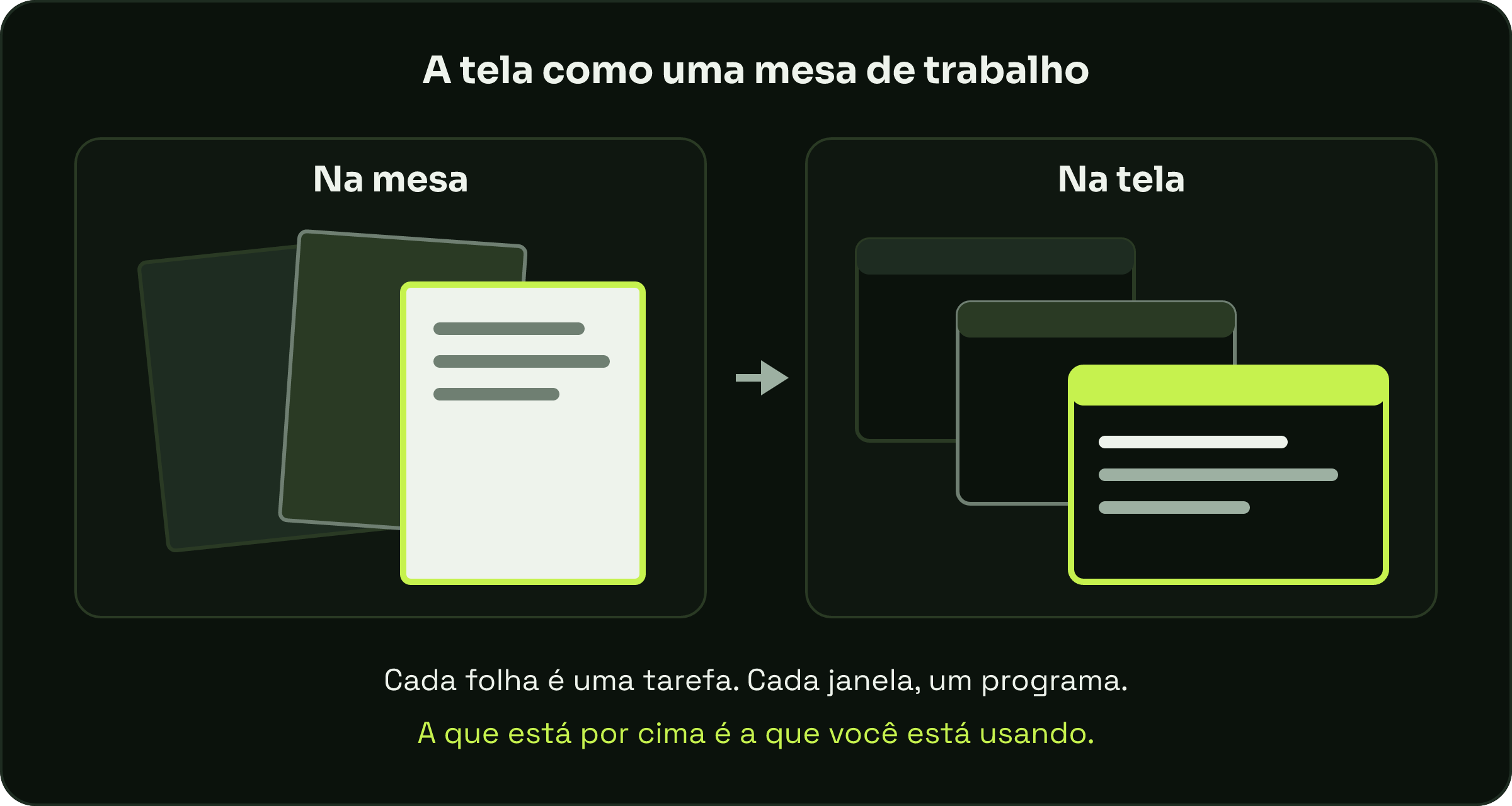
A window is a piece of the screen set aside for a program or a document. With several of them, the screen becomes a desk: each sheet is a task, and the one on top is the one you’re working on right now. The name is a simple comparison: each rectangle is a “window” through which you see a program.
1968: a split screen in a historic demo
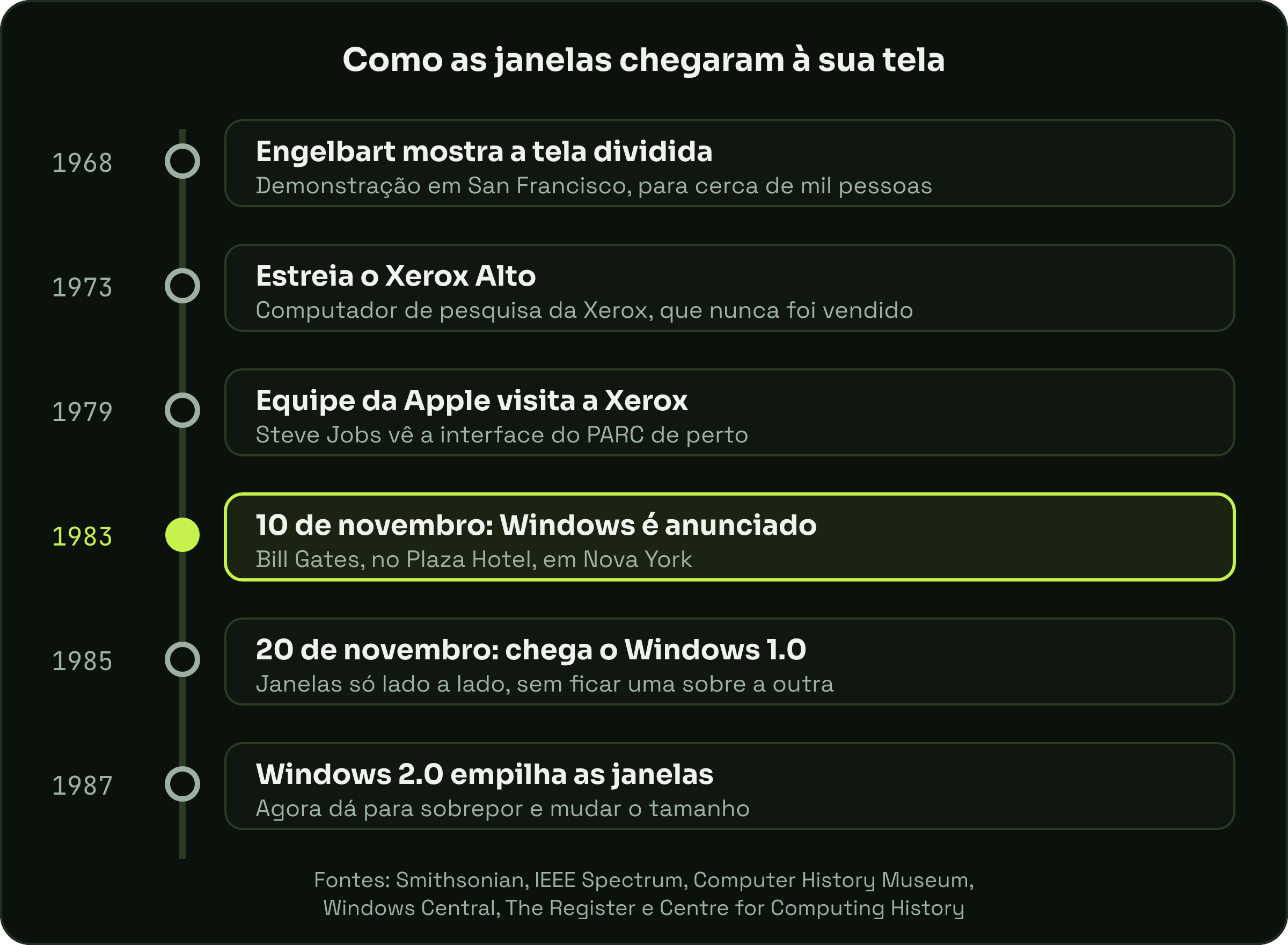
In December 1968, American researcher Douglas Engelbart took the stage in San Francisco to show the system his team had been building at the Stanford Research Institute, a research center in California. Smithsonian Magazine says the audience was about a thousand people and the team ran some 30 miles (48 kilometers) of cable to connect the stage to the institute’s computers.
That presentation featured things that would only become routine decades later: the mouse, on-screen text editing, copy and paste, links that take you from one document to another and even video conferencing. The site History of Information includes splitting the screen into windows on that list. The presentation became known as “the mother of all demos”.
A note: sources disagree on the exact day. Smithsonian says December 8; History of Information says the 9th.
1973: the Alto and stacked windows
The idea took shape in the early 70s, at Xerox’s research center in Palo Alto, California, known as PARC. According to IEEE Spectrum, the Alto, a personal research computer proposed by Butler Lampson and Charles Thacker, debuted in early spring 1973.
The Alto packed into a small machine things that seem obvious today: a mouse, networking, email and a screen with pictures instead of just letters, the so-called graphical interface. The Computer History Museum shares a curious detail: many Altos were given away, but none was ever sold. It was a lab thing.
It was in a program created for the Alto that windows learned to sit on top of each other. Smalltalk, developed by Alan Kay’s group at PARC, pioneered overlapping windows, pop-up menus and everything controlled by the mouse, according to the Computer History Museum blog. In 1979, Steve Jobs and a team from Apple visited PARC and saw that interface up close.
November 10, 1983: the announcement at the hotel
Cut to New York. On November 10, 1983, Bill Gates announced at the Plaza Hotel a program that would give IBM computers a graphical interface and the ability to run several programs at once, according to Windows Central.
The name almost ended up different. Internally, the project was called Interface Manager. According to Windows Central, it was marketing professional Rowland Hanson who convinced Gates that “Windows” was a better name.
Microsoft promised the product for April 1984. It didn’t make it. The delay was so long that skeptics started calling Windows “vaporware”, a nickname for software that’s announced and never shows up. It only reached stores on November 20, 1985, two years after the announcement, for 99 dollars in the United States, according to Wikipedia.
The Windows that wouldn’t let one window sit on top of another
Now for the part that sounds like a joke. The first Windows had windows, but they couldn’t overlap. The tech site The Register recalls that the system insisted on arranging windows side by side, like tiles, and only dialog boxes (those little warning windows) could sit on top.
And it wasn’t for lack of trying: according to Wikipedia, a September 1983 press demo showed overlapping and tiled windows, but the project ended up being redone to support tiling only. The exact reason has more than one version, and the sources don’t agree on a single explanation.
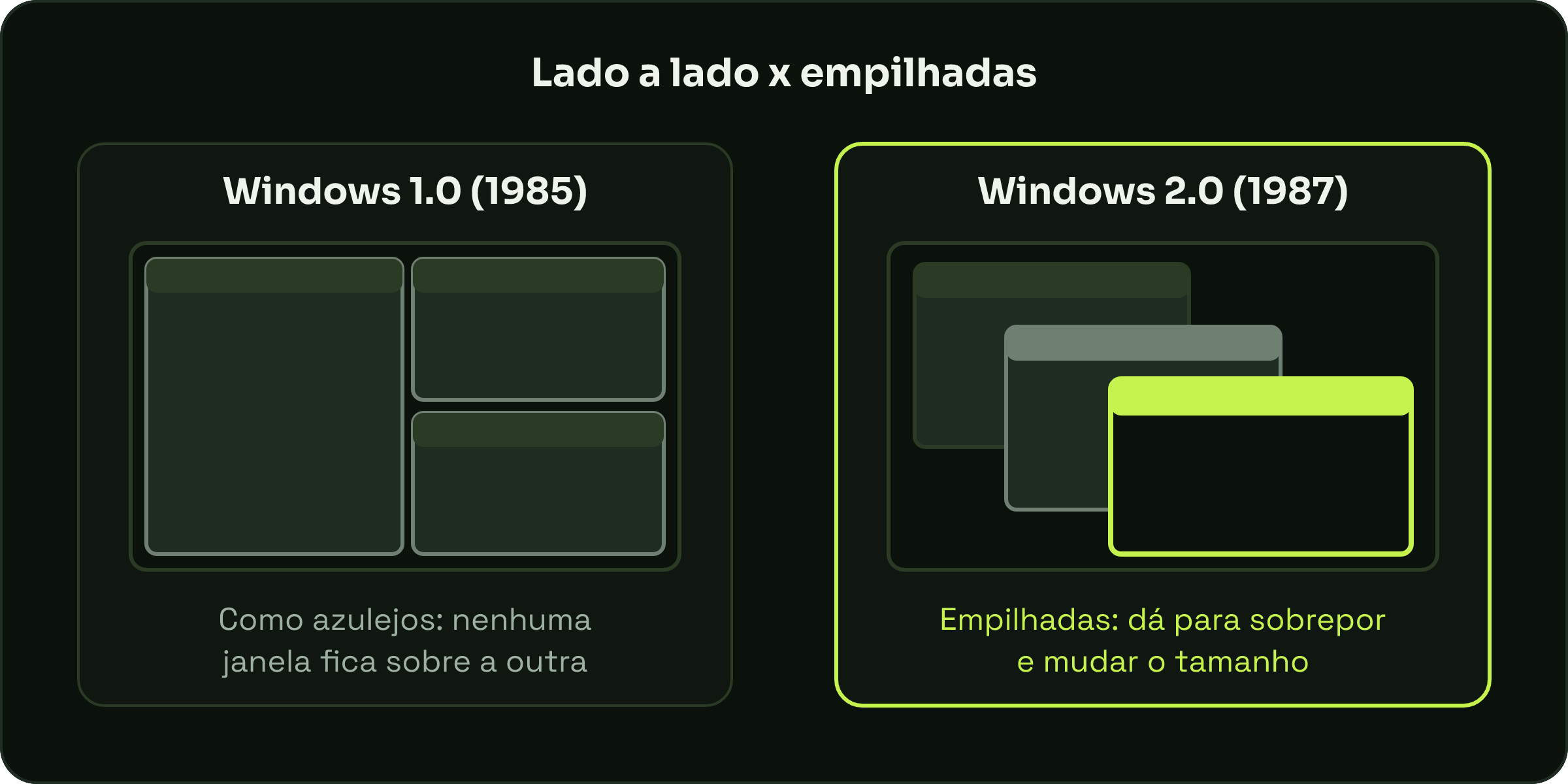
Stacked windows only arrived in Windows with version 2.0, released on December 9, 1987. According to the Centre for Computing History, a computing museum in the UK, it allowed windows to overlap and be resized. In other words, what Smalltalk already did in the lab in the 70s took more than a decade to reach the office computer.
And today?
Windows won. They’re on your work computer, your laptop at home and practically every system with a mouse. Dragging, stacking and switching between them is something you do dozens of times a day without thinking, and it carries ideas more than 50 years old.
On the phone, the story changed a bit: each app usually fills the whole screen, like computers before windows. But look at the button that shows your open apps: they appear as stacked cards, one behind the other. The old desk is still there, just in your pocket.