Why do websites demand a capital, a number and a symbol in your password?
The rule came from an 8-page manual in 2003. Its author came to regret it, and today the main US password standard forbids requiring that mix.
You’re creating an account on some website. You type a password and a red scolding appears: “must contain at least one uppercase letter, one number and one special character”. You sigh, swap the “a” for ”@”, tack a “1” on the end and move on. Three months later, your company’s system makes you change it all again.
That rule has an author, a date and even an apology. And the most curious part: the US standard that helped spread it now says the opposite. Let’s start at the beginning.
1961: the password is born to share a computer
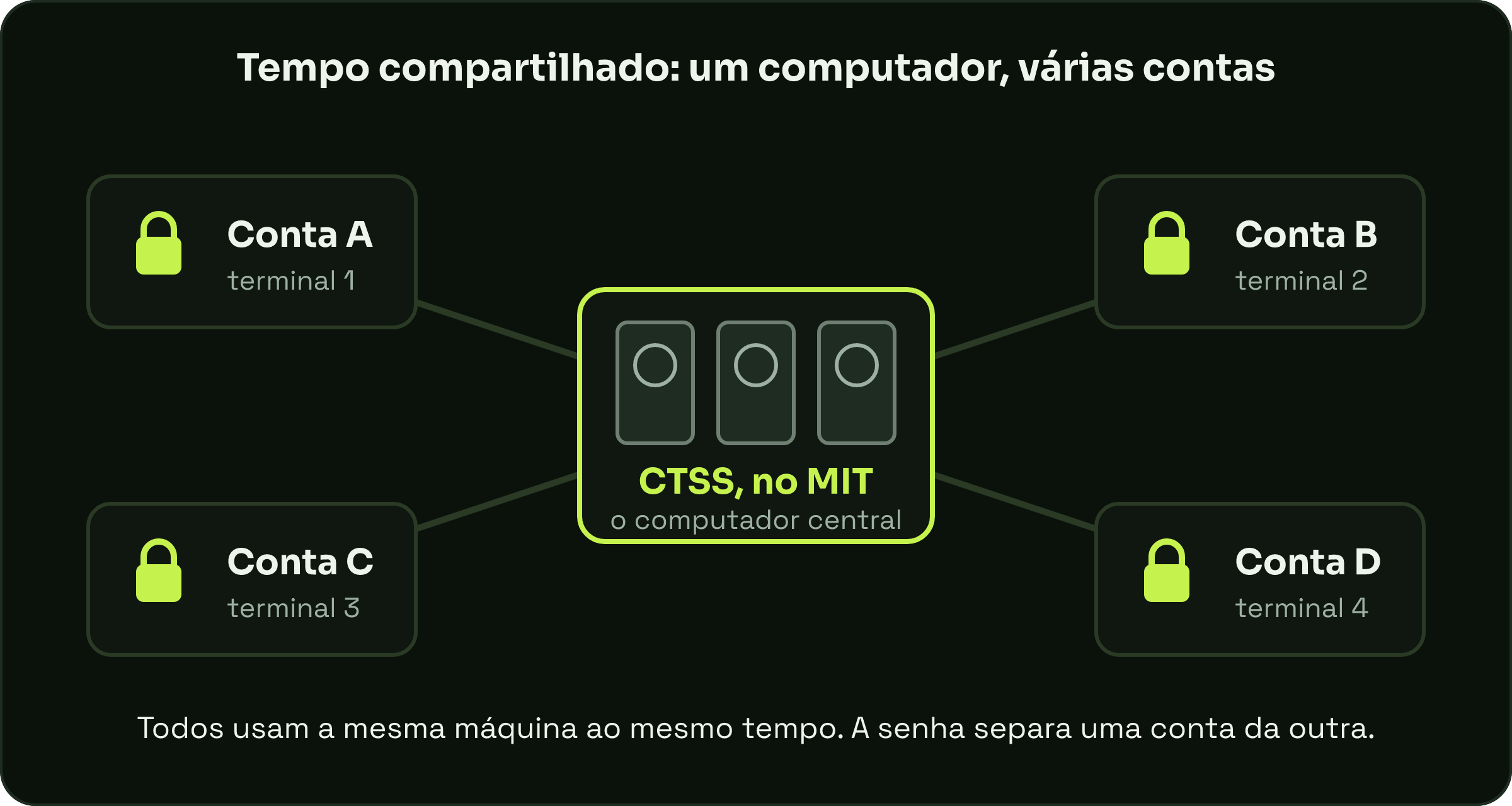
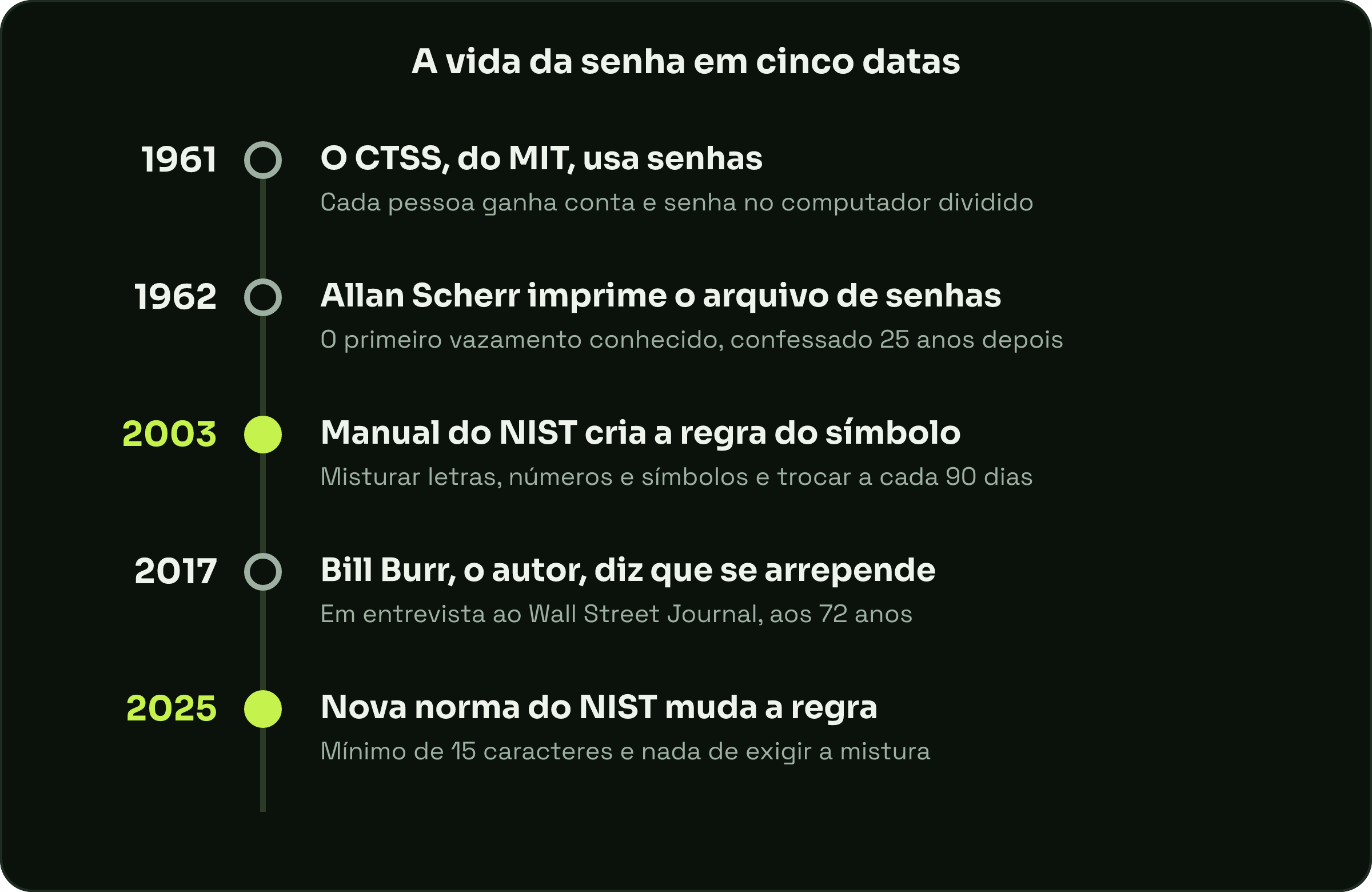
In the early 60s, a computer was a huge, very expensive machine that almost always did one task at a time. At MIT, Fernando “Corby” Corbató’s team created CTSS, the Compatible Time-Sharing System. The idea: several people using the same computer at the same time, each at their own terminal (the keyboard with a screen or printer connected to the machine).
According to MIT News, CTSS was first demonstrated in 1961 and is considered the first computer system to use passwords. If everyone shares the same machine, each person needs their own account, and each account needs a key. Corbató won the Turing Award, the “Nobel Prize of computing”, in 1990, and died in 2019, at 93.
1962: the first leak came right after
The first password didn’t stay safe for long. In the spring of 1962, MIT student Allan Scherr was entitled to only four hours of computer time a week, too little for the simulations he needed to run. The story was told by Wired magazine and republished by Gizmodo.
His solution was straightforward: one Friday night, he asked the system to print the file with every user’s password. He took the printout and started using other people’s time. To spread the blame around, he even handed passwords out to classmates. Scherr only confessed 25 years later, in person, to one of the project’s professors.
Notice: the problem wasn’t that the password was weak. It was that the file with the passwords was within reach of anyone who knew how to ask. Keep that idea in mind; it comes back at the end.
2003: an 8-page manual creates the symbol rule
Jump to 2003. Bill Burr, a manager at NIST, the US government institute that creates technical standards, was given the task of writing rules for secure passwords. According to NBC News, he had little material to go on and based it on a study from the 80s.
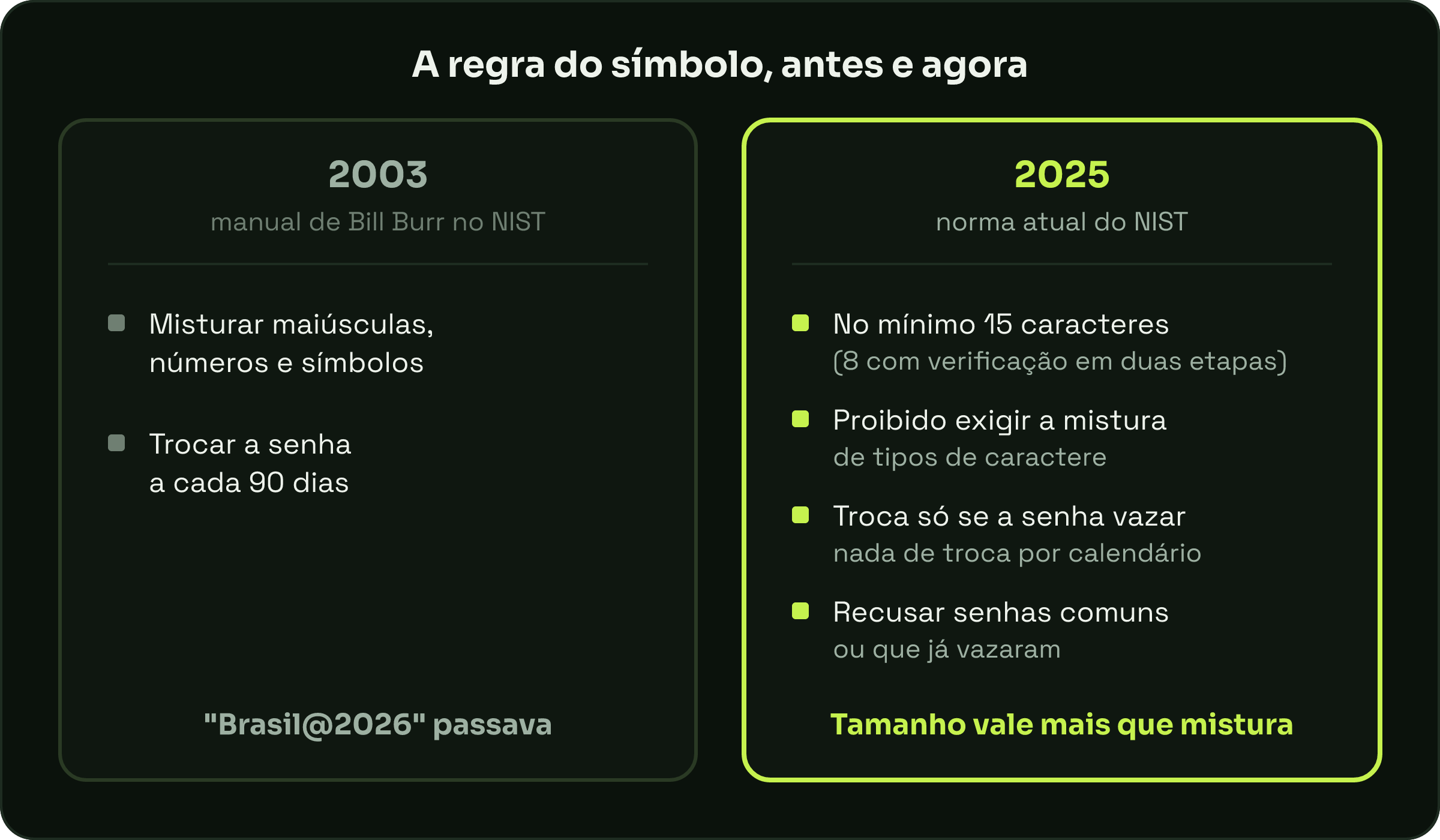
The result was an 8-page appendix to a NIST technical document. There was the recipe you know: mix uppercase letters, numbers and symbols, and change your password every 90 days. Since NIST is a reference, the recipe ended up at companies, banks and websites all over the world.
2017: the author apologizes
In 2017, already retired and 72 years old, Burr gave an interview to the Wall Street Journal. The line that went around the world was that much of what he had done, he now regretted, according to NBC News. He also said the rule drove people crazy and that, in the end, they didn’t pick good passwords anyway.
You can see why without doing any math. The rule looks at the type of character, not at how predictable the password is. A password like “Brazil@2026” has an uppercase letter, a number and a symbol, passes every test on the site, and is exactly the kind of thing someone would try to guess. And the mandatory change every 90 days invites the obvious shortcut: “Brazil@2027”.
What the rule says today
In July 2025, NIST published the fourth version of its digital identity guidelines. The password section, which you can read on the official page, turned the 2003 recipe upside down:
- when the password is an account’s only protection, it must be at least 15 characters long (8, if there’s a second verification step);
- sites should not require a mix of character types;
- sites should not force periodic changes, only when there’s a sign the password leaked;
- sites should reject passwords from a list of common or already-leaked passwords;
- sites should allow password managers and autofill, and should not store “password hints”.
The standard applies to US government systems, but it’s a reference for many others. Each site decides what to adopt, which is why you still run into the “special character” scolding: many systems keep following the old playbook.
What this has to do with you
Remember Scherr and the printed file? More than 60 years later, one of the biggest risks is still similar: the password leaking from somewhere, not being guessed letter by letter. I’ve told here how a miscalculation choked the internet in 1988; security almost always fails at the spot nobody was watching.
So, in practice: prefer long passwords, like a sentence only you understand. Use a different password on every site, and let a password manager remember them for you. Turn on two-step verification wherever you can. And change your password when there’s a sign of a leak, not because the calendar says so.
If the site still demands a symbol, fine: add one. But now you know the person who invented the rule has already apologized for it.